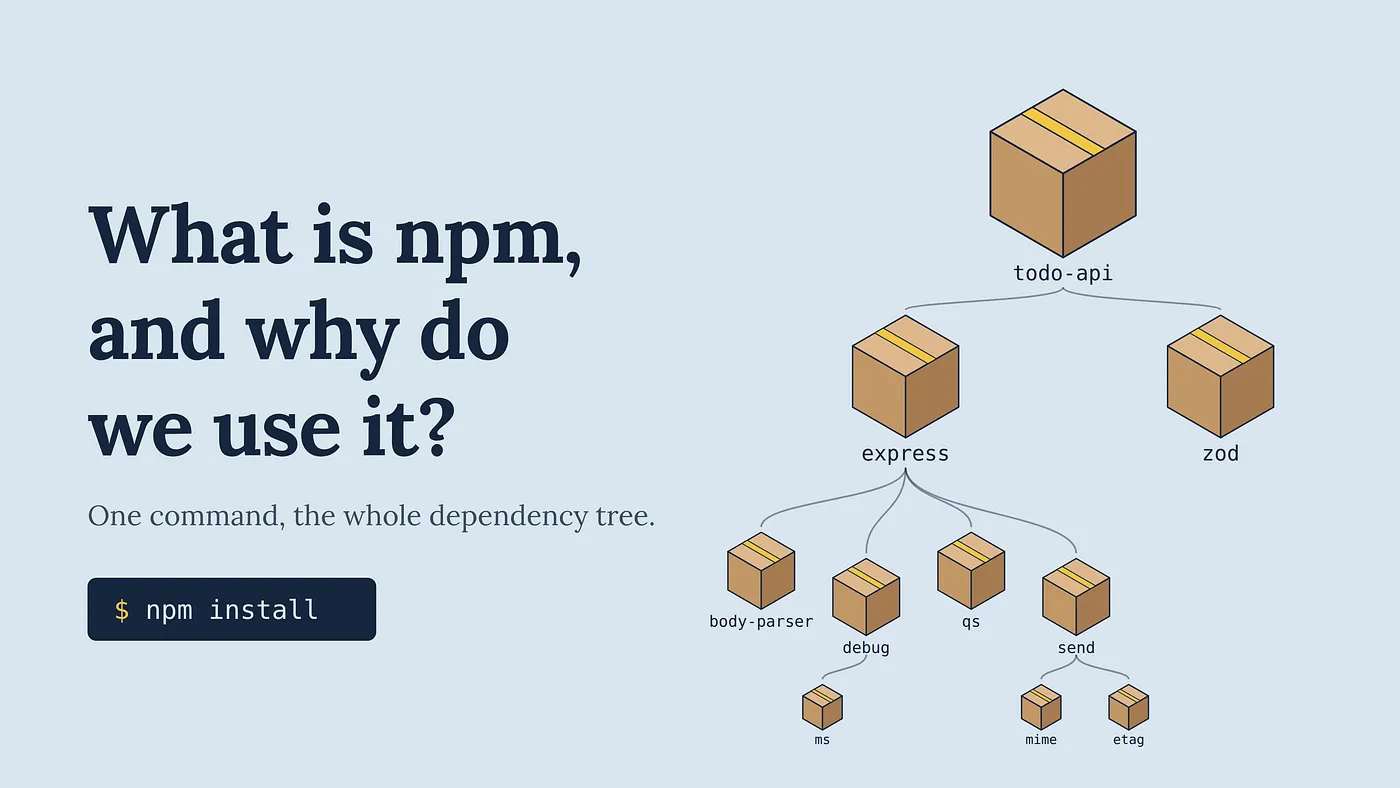
npm stands for Node Package Manager. It’s the default package manager for Node.js and ships with it, so if you have Node, you already have npm.
Why was it created?
Node.js came out in 2009 and let people run JavaScript outside the browser. But it didn’t come with a good way to share code. If you wanted someone else’s library, you had to:
- Download it by hand
- Drop it into your project
- Track updates yourself
And if that library depended on other libraries, you had to manage those too.
Isaac Z. Schlueter created npm in 2010 to solve this. The idea was simple: a central place where anyone could publish a JavaScript package, plus a command-line tool that could fetch a package and all its dependencies automatically.
It quickly became the standard, and Node began bundling it in 2011. GitHub acquired npm, Inc. in 2020, so it’s now under Microsoft.
What “npm” actually refers to
The name covers three related things:
- The registry: a public database of millions of packages at registry.npmjs.org
- The CLI: the npm command you run in your terminal
- The website: npmjs.com, where you browse packages, read docs, and manage your account
This matters because alternatives like pnpm and Yarn replace only the CLI. They still download packages from the same npm registry.
What do you use it for?
Here’s a typical package.json:
{
  "name": "todo-api",
  "version": "1.0.0",
  "scripts": {
    "dev": "tsx watch src/index.ts",
    "build": "tsc",
    "start": "node dist/index.js",
    "test": "vitest"
  },
  "dependencies": {
    "express": "^4.19.2",
    "zod": "^3.23.8"
  },
  "devDependencies": {
    "@types/express": "^4.17.21",
    "@types/node": "^20.14.0",
    "tsx": "^4.15.0",
    "typescript": "^5.4.5",
    "vitest": "^1.6.0"
  }
}
npm uses this file for most of its everyday jobs:
- Installing dependencies.
npm installreads package.json and installs everything it lists, including the dependencies of those dependencies.npm install zodadds a new one. - Managing versions. package.json declares acceptable version ranges (like
^5.4.0). The lockfile, package-lock.json, records the exact versions installed so every machine gets the same result. Always commit it. - Separating dev and runtime dependencies. Tools like typescript, eslint, and vitest go in devDependencies. Libraries your code actually runs with go in dependencies.
- Running scripts. The scripts section gives your project shared commands like
npm run buildornpm test, so nobody has to remember the underlying tool invocations. - Running tools without installing them globally. npx, which comes with npm, runs a package’s command directly:
npx tsc --initornpx create-vite. - Publishing. If you write a library,
npm publishputs it on the registry for others to install.
Why it matters
Almost every JavaScript and TypeScript project depends on third-party code: frameworks, TypeScript itself, type definitions (@types/…), bundlers, and test runners. Without a package manager, you’d be copying files around and tracking versions by hand.
npm makes your setup reproducible. Commit package.json and the lockfile, and anyone can run npm install to get an identical environment. Even if you switch to pnpm or Yarn, you’re still relying on the npm ecosystem. You’re just using a different client to talk to it.